

V1 is the legacy version of the RTO Suite. Stores on V1 see a single COD Settings page instead of the rules dashboard. Contact support to move to rule-based RTO (V2).
COD filtering options
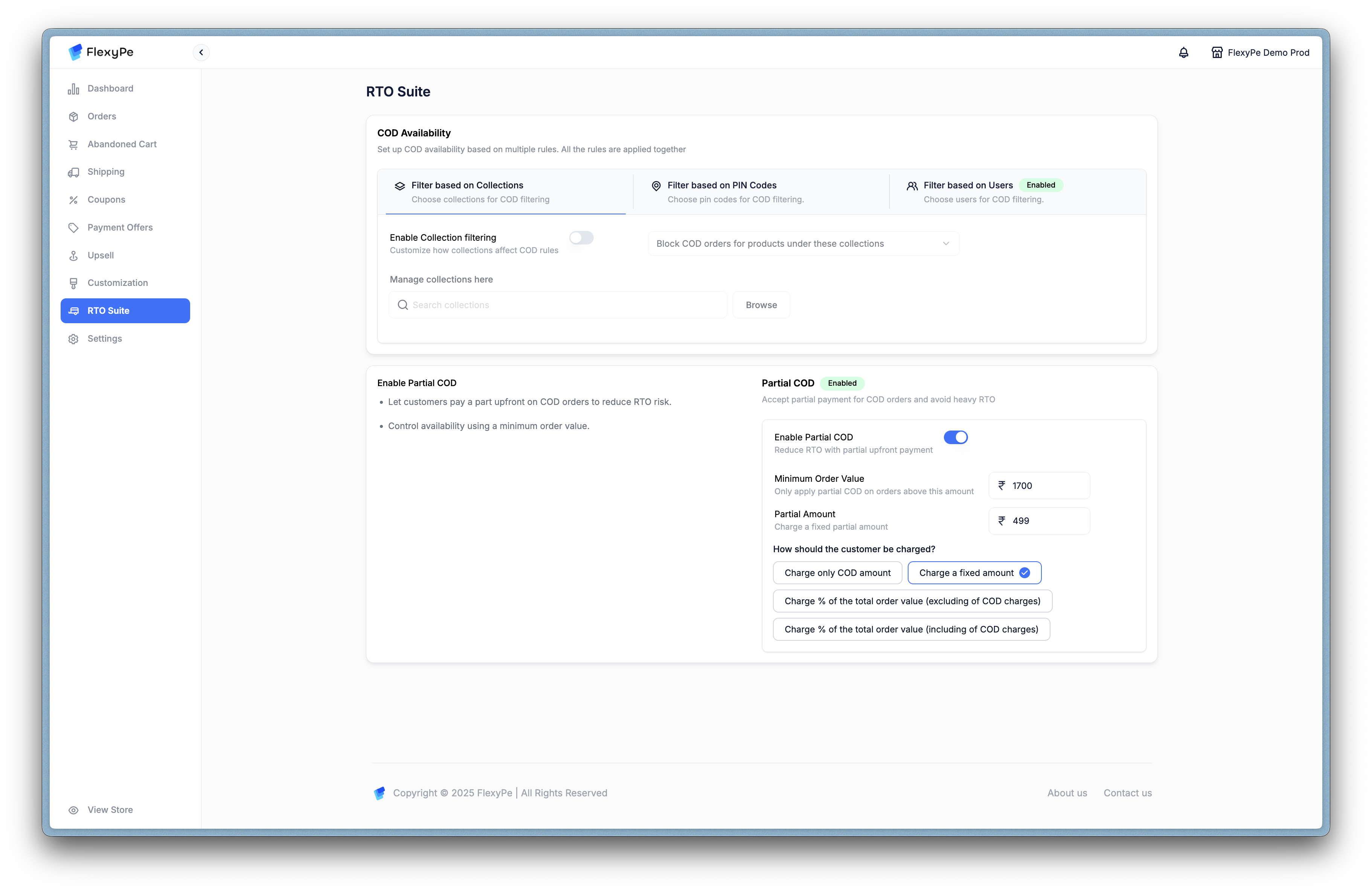
COD Settings on V1 — COD availability is filtered by collections, PIN codes, and users on a single page.
-
Filter by Collections
- Block COD orders for products under specific collections.
- Useful for categories with high RTO risk (for example fast fashion, seasonal items).
- Manage collections directly or browse/search to assign.
-
Filter by PIN Codes
- Restrict COD for specific regions.
- Upload a CSV of allowed/restricted PIN codes.
- Helps reduce risk from unreliable logistics areas.
- Filter by Users
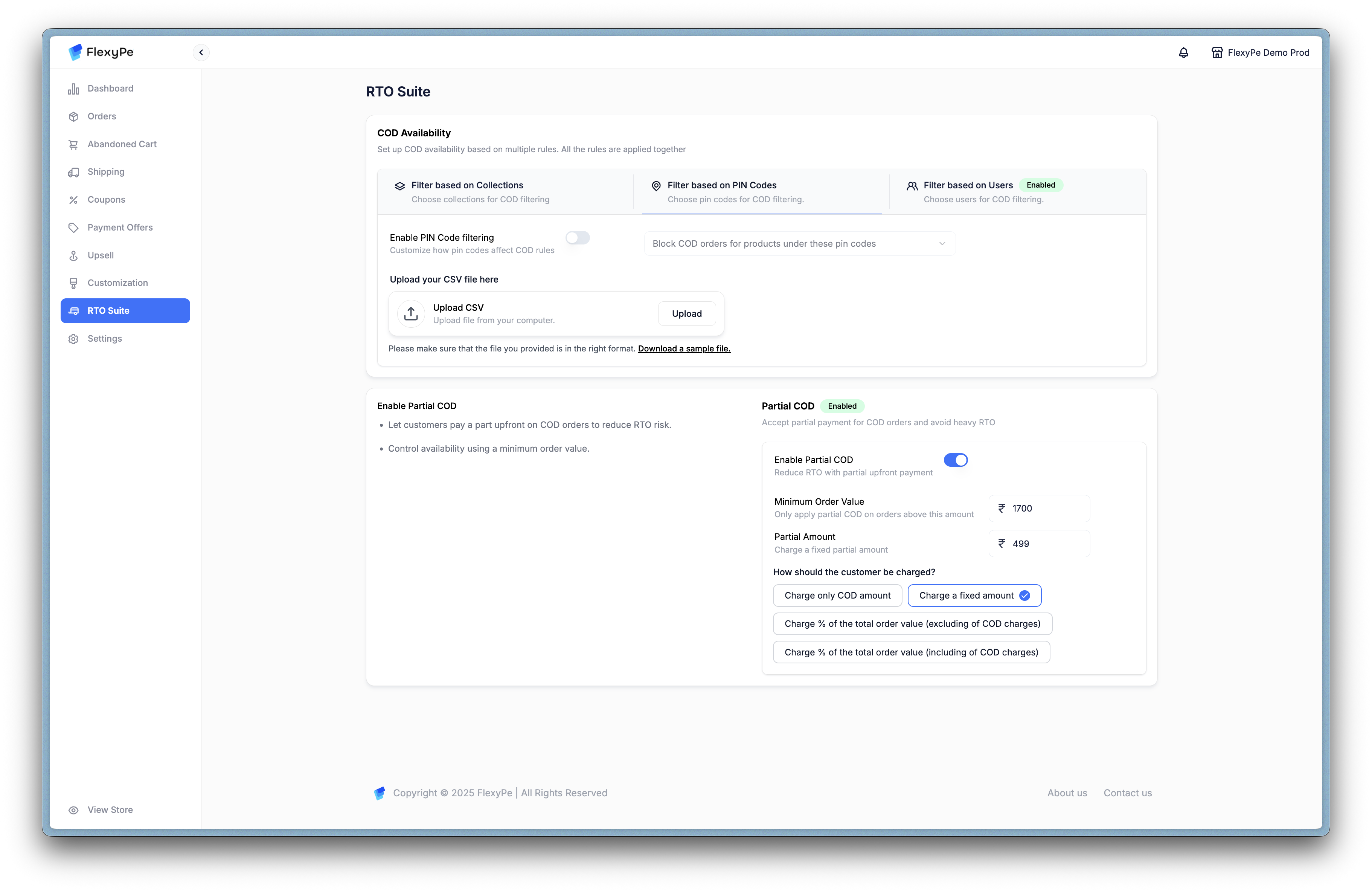
COD Settings on V1 — the user filter blocks COD for specific customers, uploaded as a CSV list.
- Limit COD availability for certain users.
- Useful for blocking repeat abusers or high-risk profiles.
- CSV upload supported for user lists.
Partial COD
Partial COD helps reduce RTO losses by requiring a part of the order to be prepaid before the COD balance is collected.- Enable Partial COD: Toggle to activate.
- Minimum Order Value: Apply Partial COD only on orders above a set amount.
- Partial Amount Percentage: Define what portion customers must prepay.
Charging options
- Charge only COD amount – Collect a token advance tied to COD.
- Charge a fixed amount – Flat charge regardless of order value.
- Charge % of order value (excluding COD charges) – Prepaid portion based on subtotal.
- Charge % of order value (including COD charges) – Prepaid portion including COD fee.