

Completed checkouts appear under Orders. This section is only for sessions that did not convert.
The abandoned checkouts list
Open Abandoned Checkouts from the left navigation.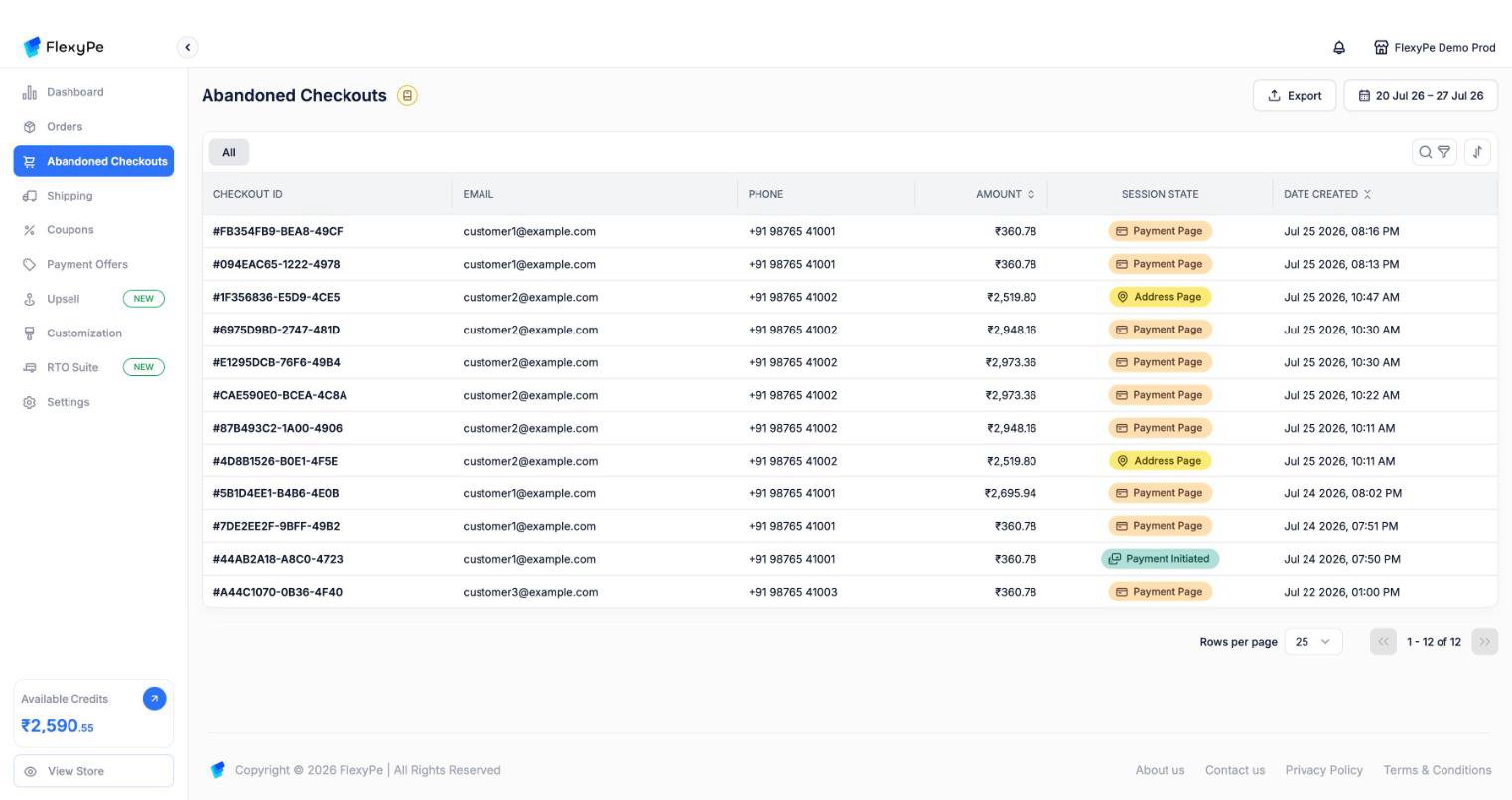
Abandoned checkouts, each tagged with the stage the customer reached before leaving.
Click a row to open the full session. As with orders, the list defaults to the last 7 days — widen the date picker to look further back.
Drop-off stages
The Session State tells you where checkout broke down, which is usually the single most useful signal on this page:Searching, filtering, and exporting
The controls work exactly as they do on Orders. Open the bar with the search and filter icons above the table, or Cmd/Ctrl + F; Esc closes it.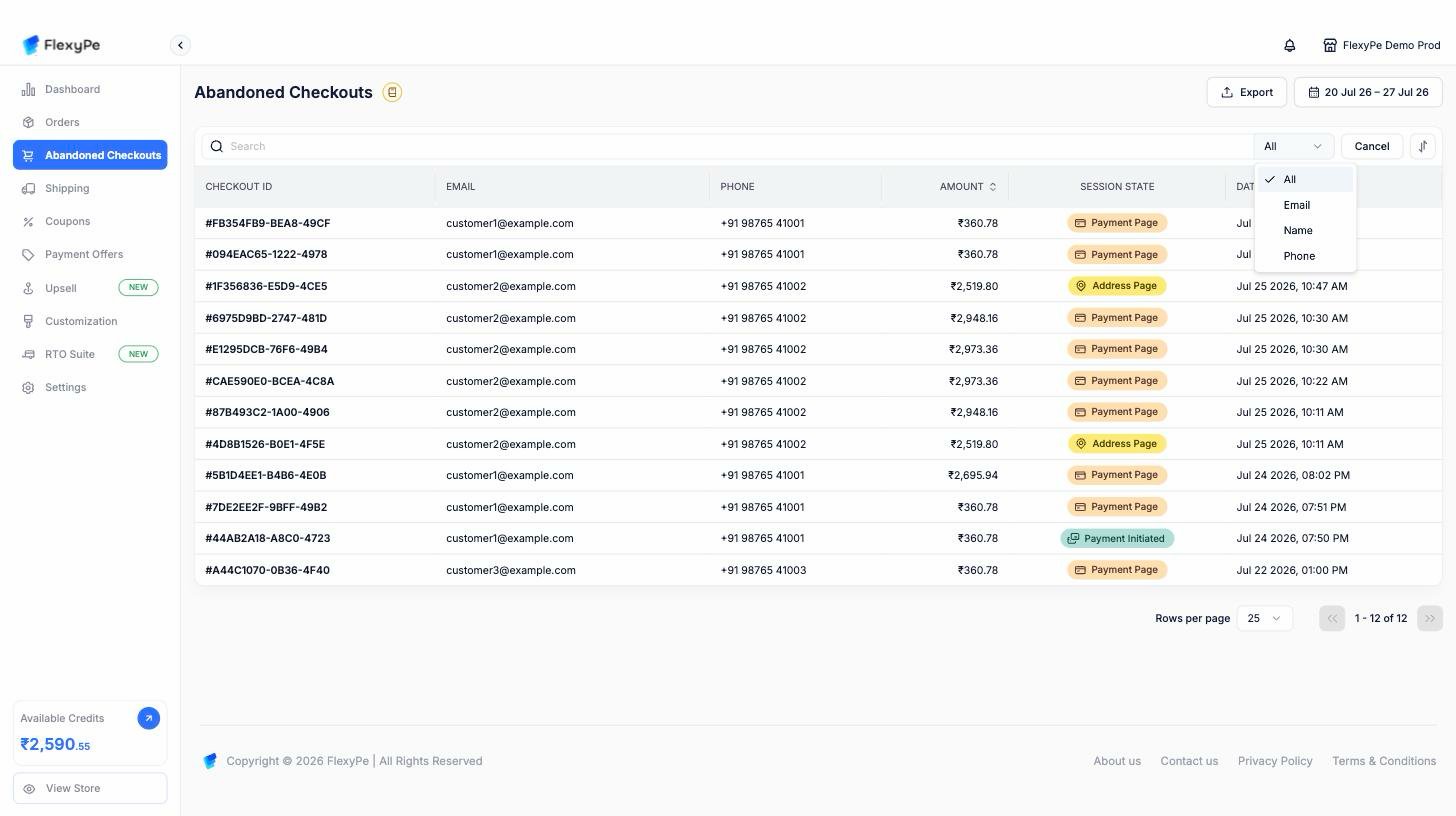
Searching an abandoned checkout. The field selector offers All, Email, Name, and Phone.
-
Search across All fields, or narrow to Email, Name, or Phone
There is no Order ID option here — abandoned sessions never became orders, so they have no order name. Search by checkout ID is not supported either; use email or phone to find a specific customer’s session.
- Filter with Add Filter, by payment status, payment method, and payment provider. Each accepts multiple values, and filters combine
- Date range from the button in the top-right, separate from the filter bar
- Sort with the sort icon by date created, or click the Amount column header to rank carts by value
- Export a CSV of everything matching your current filters, delivered by email
Session details
Opening an abandoned session shows the same panels as an order, minus anything that only exists once an order is placed: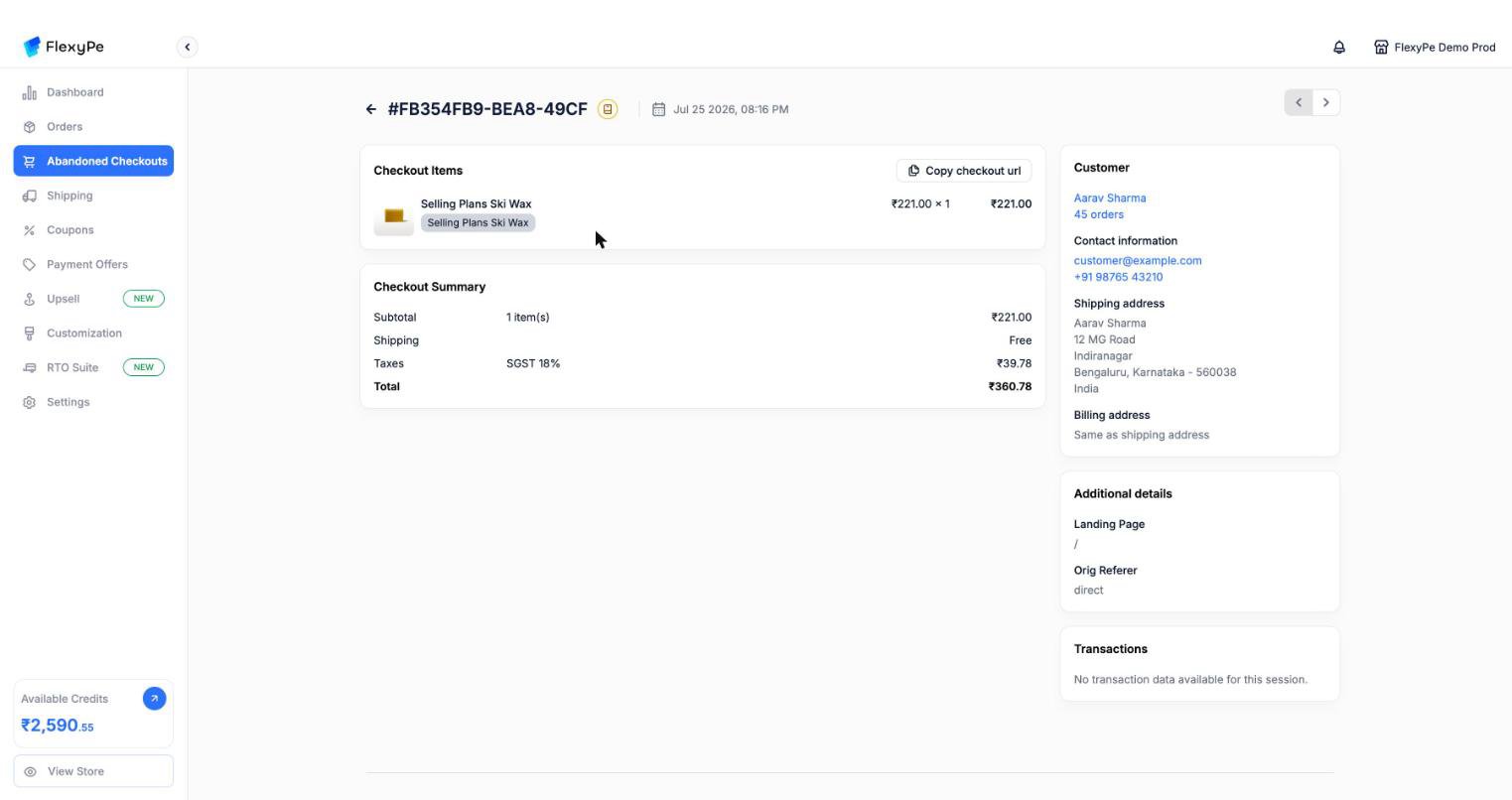
An abandoned session: what was in the cart, what it would have totalled, and who left it behind.
- Items — everything in the cart, with variants, quantities, and any discounts or coupons already applied
- Summary — subtotal, discounts, shipping, taxes, and the total the customer would have paid
- Customer — contact details, addresses entered so far, and how many orders they have placed with you before
- Transactions — every payment attempt, including failures, with the gateway, method, and state
- Conversion details — sessions before this one, checkout visits, days since first visit, and the full UTM set
- Exit checkout reasons — what the customer told you on the way out, when they answered the exit survey
Abandoned sessions cannot be edited. Editing is an order-level action, available only after a session converts.
How automatic recovery works
FlexyPe watches every checkout session and, shortly after a session goes quiet without converting, triggers recovery.1
The session is checked
Recovery only proceeds when all of these are true:
- The session is still incomplete — an order was never placed
- The customer is identified, so there is somebody to contact
- The customer has not started a newer session, so you never chase a customer who already came back
These checks are why the recovery count is smaller than the raw abandoned-checkout count. Sessions from unidentified visitors, and sessions superseded by a newer visit, are deliberately skipped.
2
A recovery cart is rebuilt
FlexyPe recreates the customer’s cart on your store, carrying over:
- Every item and quantity
- Coupon codes that were already applied
- The UTM parameters from the original visit, so recovered sales stay attributed correctly
- The stage at which the customer dropped off
3
A recovery link is generated
The link reopens FlexyPe checkout with the customer’s original session restored — items, addresses, and applied discounts intact — so they resume instead of starting over.
4
The abandonment event fires
FlexyPe emits an Abandoned Checkout Recovery webhook carrying the session, customer, and cart, so your CRM or messaging tool can send the follow-up on your own schedule and in your own voice.
The abandoned checkout event fires 15 minutes after a checkout session opens without completing. See Event Triggers for the exact conditions.
Recovering visitors who never reached checkout
Customers who browsed but never started checkout are covered by a separate event — Abandoned Session Recovery, which fires after 15 minutes of inactivity. Use it to reach shoppers earlier in the funnel than this page covers.Reducing abandonment in the first place
Recovery is the fallback. Checkout can also intervene at the moment a customer tries to leave, using an exit flow you configure under Checkout Customization:Saving reminder
Saving reminder
Reminds the customer of a discount they qualify for and offers to apply it on the spot. If no coupon applies, they see the standard confirmation instead.
Out of stock warning
Out of stock warning
Warns that items in the cart are nearly out of stock, adding urgency to completing the order now.
Exit survey
Exit survey
Asks why the customer is leaving, with options you define plus a free-text box. Answers show up in the Exit checkout reasons panel on that session.
Default confirmation
Default confirmation
A plain confirmation warning that progress will be lost, for when you don’t want an offer or a survey.
Frequently asked questions
Why do some abandoned checkouts have no email or phone?
Why do some abandoned checkouts have no email or phone?
The customer left before identifying themselves. These sessions still count toward abandonment but cannot be recovered, since there is no way to reach the customer.
A customer came back on their own. Will they still be chased?
A customer came back on their own. Will they still be chased?
No. If the customer starts a newer session, the older one is skipped for recovery.
Does an abandoned checkout disappear once it converts?
Does an abandoned checkout disappear once it converts?
Yes. Once payment completes, the session becomes an order and moves to Orders.
Many sessions sit at Payment Initiated. What does that mean?
Many sessions sit at Payment Initiated. What does that mean?
Customers are starting payments that do not complete. Open the Transactions panel on a few of them — repeated failures from one gateway usually point at a provider configuration issue rather than customer hesitation.
Does the recovery link expire?
Does the recovery link expire?
The link restores the original session. If the customer’s cart is no longer purchasable — for example an item sold out — checkout reflects that when they arrive.
Can I send recovery messages from FlexyPe itself?
Can I send recovery messages from FlexyPe itself?
Recovery events are delivered by webhook so your existing messaging stack owns the send. Talk to support about what is available for your account if you would rather FlexyPe handled it.
Need help?
Orders
Sessions that converted, with full payment detail
ACR webhook
Payload and setup for the abandoned checkout event