

Which version is my store on?
Open RTO Suite in the dashboard. The page picks itself automatically:- If you see a Choose how your RTO rules are applied card at the top and rules grouped into sections, you are on V2.
- If you see a single COD Settings page with collection, PIN code, and user filters, you are on V1.
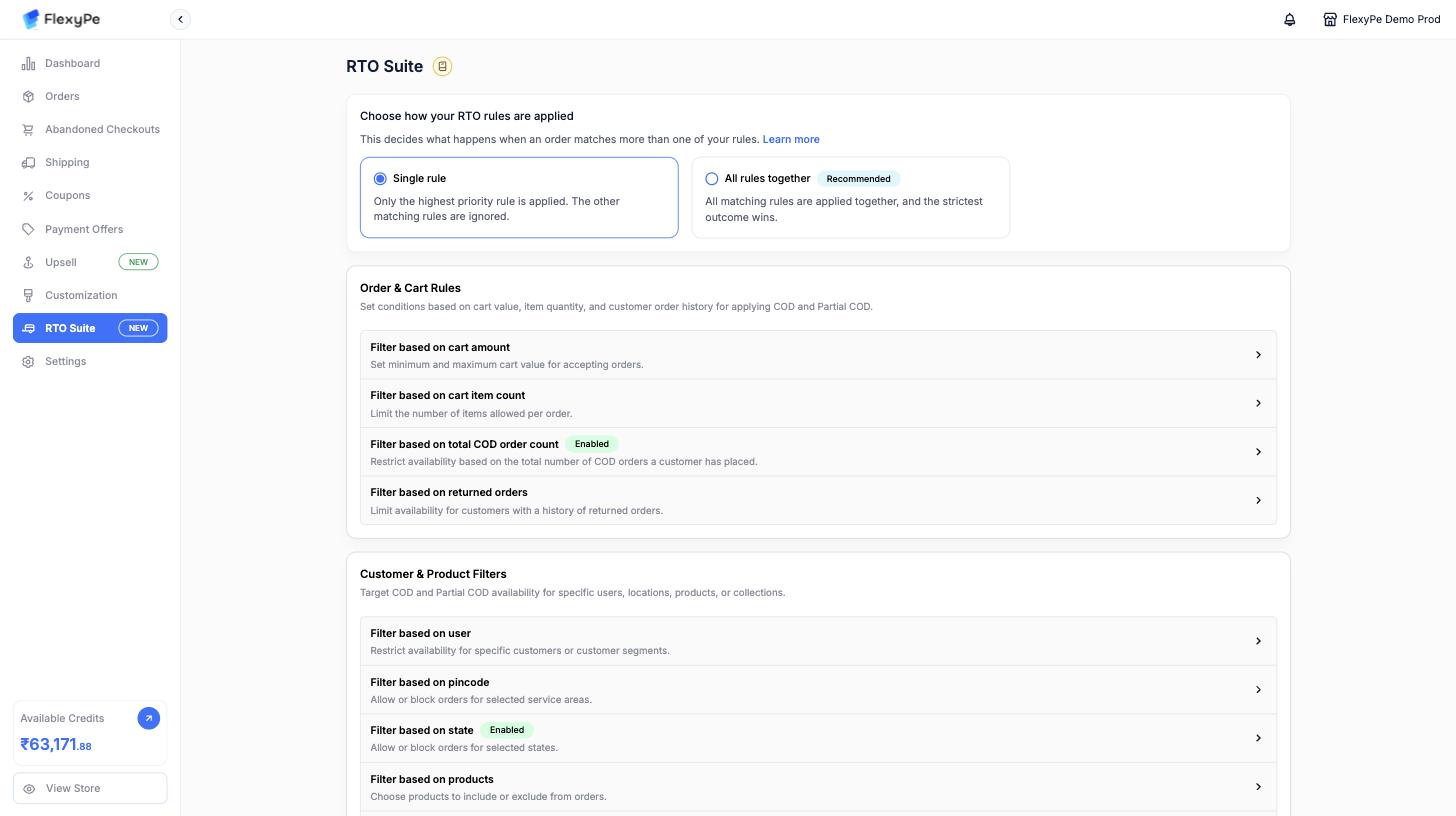
RTO Suite on V2 — the switch at the top decides how rules combine, and each section below lists the rule types you can configure.
Moving from V1 to V2 is done by the FlexyPe team. Contact support if you are still on V1 and want rule-based RTO.
Why use RTO rules?
- Reduce fraudulent or fake COD orders.
- Improve cash flow with partial upfront payments.
- Lower logistics costs by avoiding high-risk deliveries.
- Retain COD convenience while balancing risk.
Next steps
RTO V2 — rule-based COD control
Build rules, configure Partial COD per rule, and choose how multiple matching rules combine.
RTO V1 — COD Settings
The legacy store-wide COD filters and Partial COD block.