

Integrating Razorpay with FlexyPe enables fast, secure, and reliable payment processing directly through your checkout. With just a few steps, you can start accepting payments and ensure a smooth transaction experience for your customers.Documentation Index
Fetch the complete documentation index at: https://docs.flexype.io/llms.txt
Use this file to discover all available pages before exploring further.
Connect Razorpay with FlexyPe
Access Razorpay in FlexyPe Dashboard.
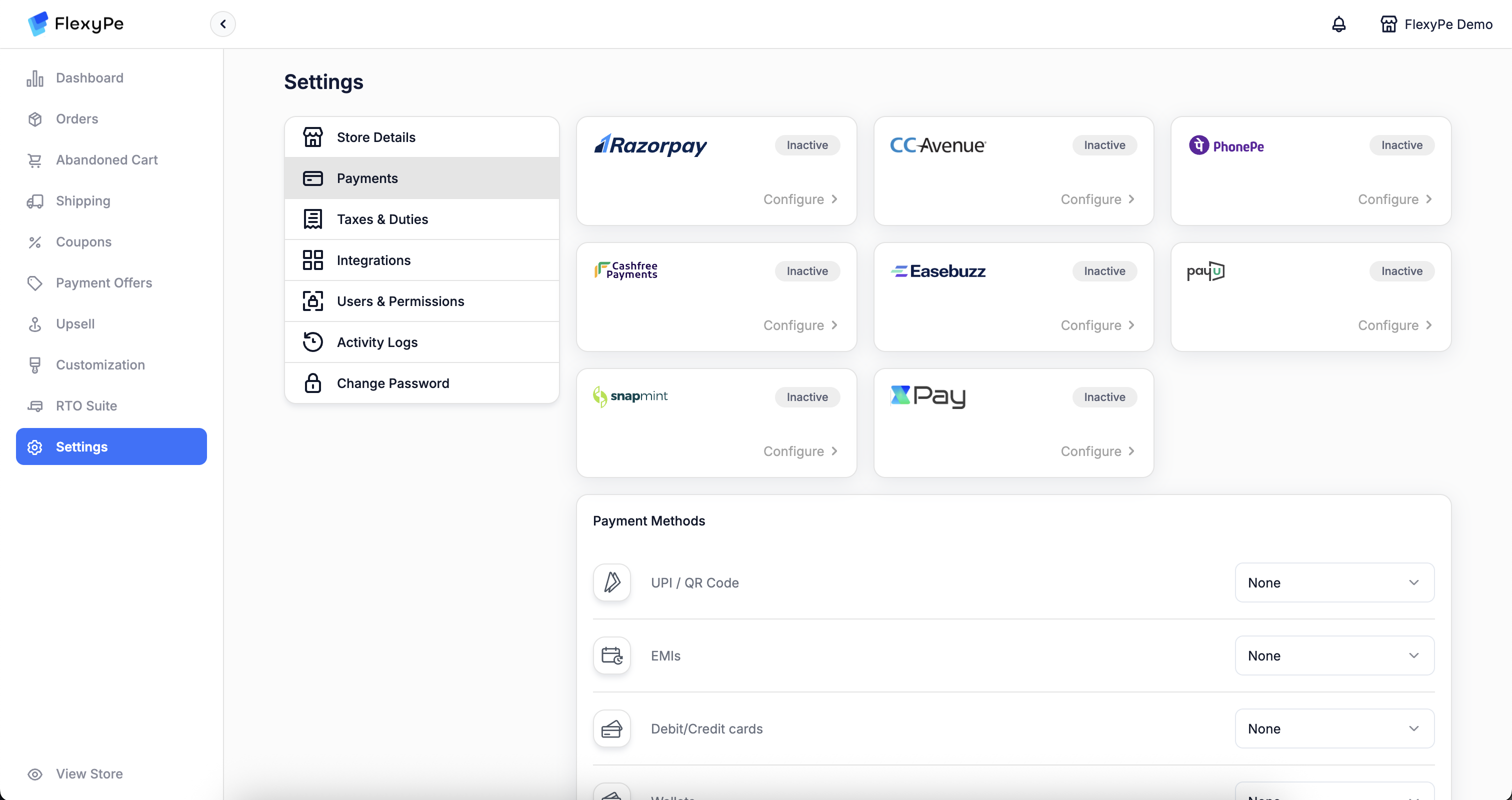
- Log in to your FlexyPe Dashboard.
- Click on the Settings menu and select Payments.
Configure Razorpay
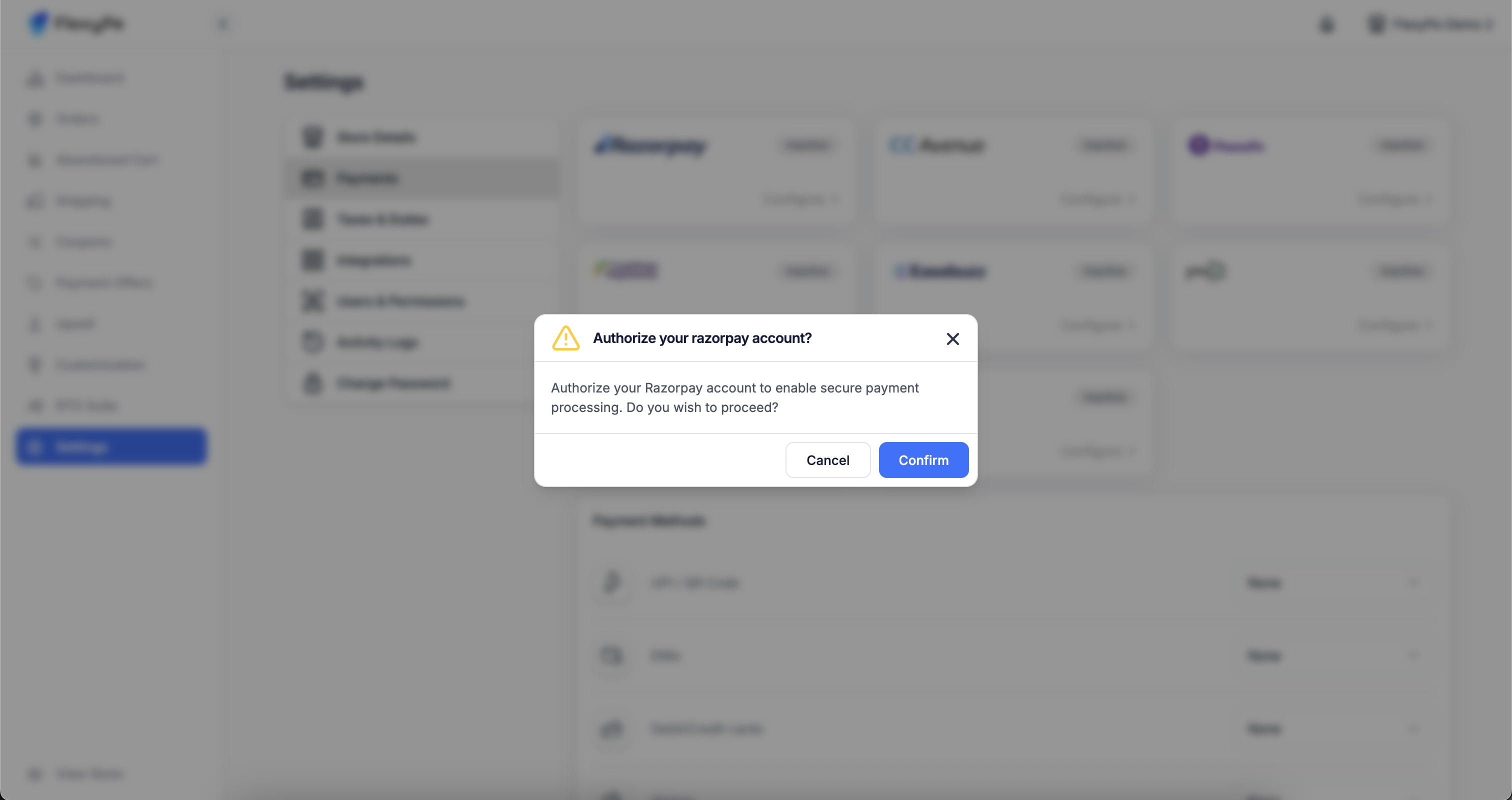
- Click the Configure button located within the Razorpay card to proceed with setup.
- Click Confirm to authorize your Razorpay account and securely connect it with FlexyPe.
Use Razorpay for Your Payment Methods
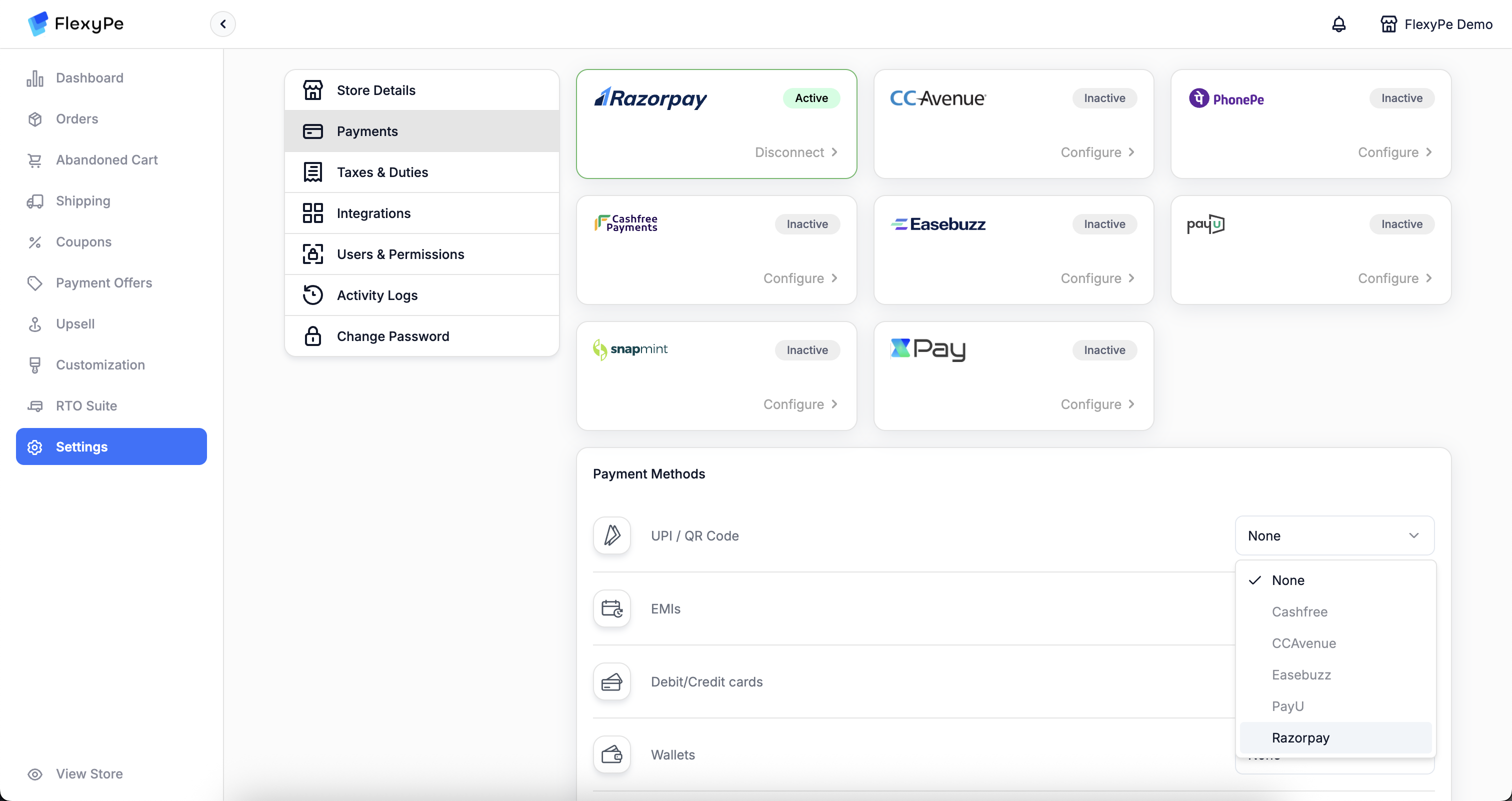
- In the section below, you’ll see a list of payment methods.
- If you want to use Razorpay to handle any of these methods, change the provider to Razorpay.
- Repeat this for each method you wish to route through Razorpay.
Webhooks setup is not required.