

Documentation Index
Fetch the complete documentation index at: https://docs.flexype.io/llms.txt
Use this file to discover all available pages before exploring further.
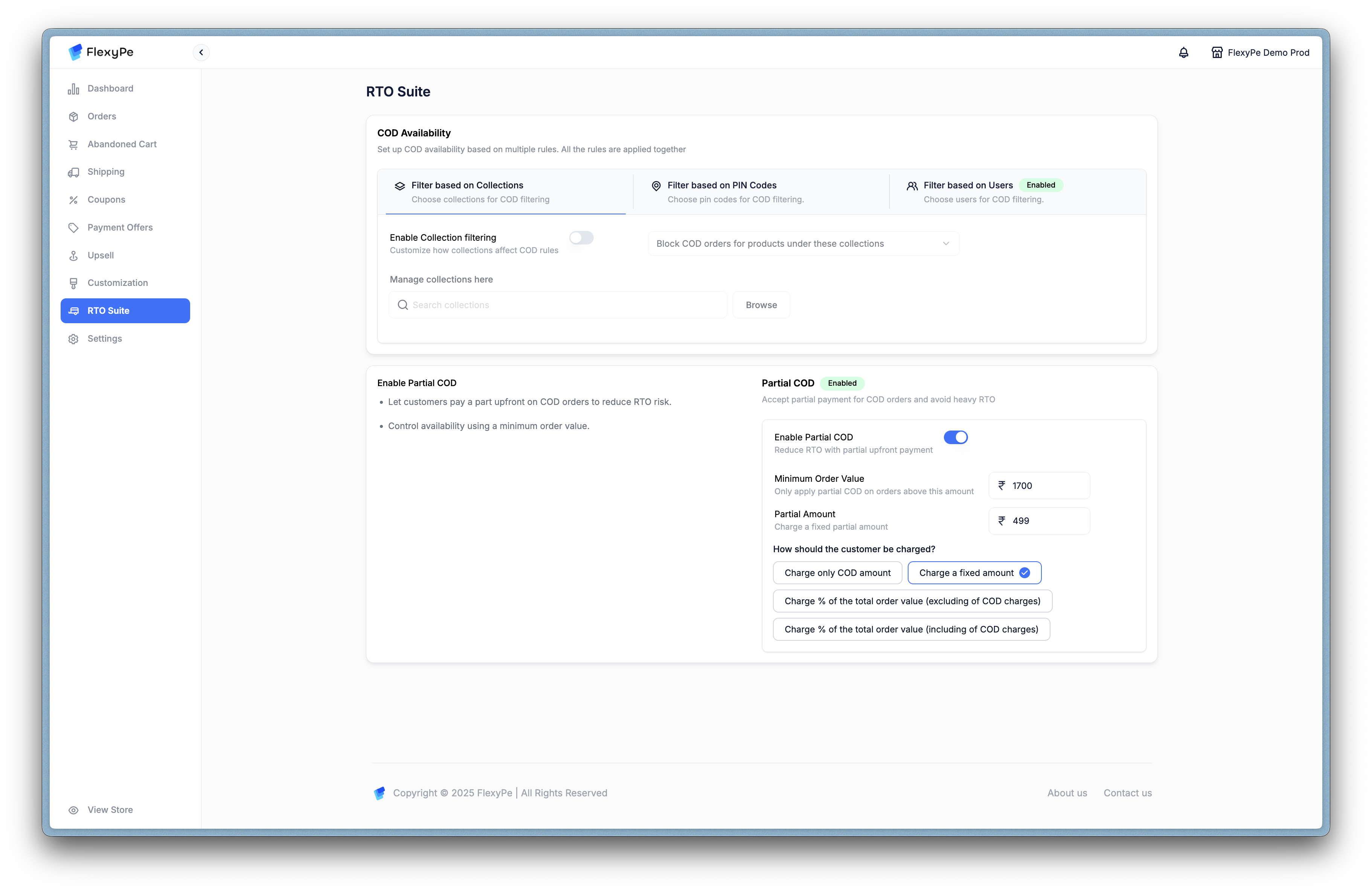
COD Settings
The COD Settings module under the RTO Suite allows you to manage and restrict Cash on Delivery orders. This helps reduce Return-to-Origin (RTO) risks by applying rules across collections, PIN codes, and user groups, along with enabling Partial COD.COD Filtering Options
You can filter COD availability using different rules:-
Filter by Collections
- Block COD orders for products under specific collections.
- Useful for categories with high RTO risk (e.g., fast fashion, seasonal items).
- Manage collections directly or browse/search to assign.
-
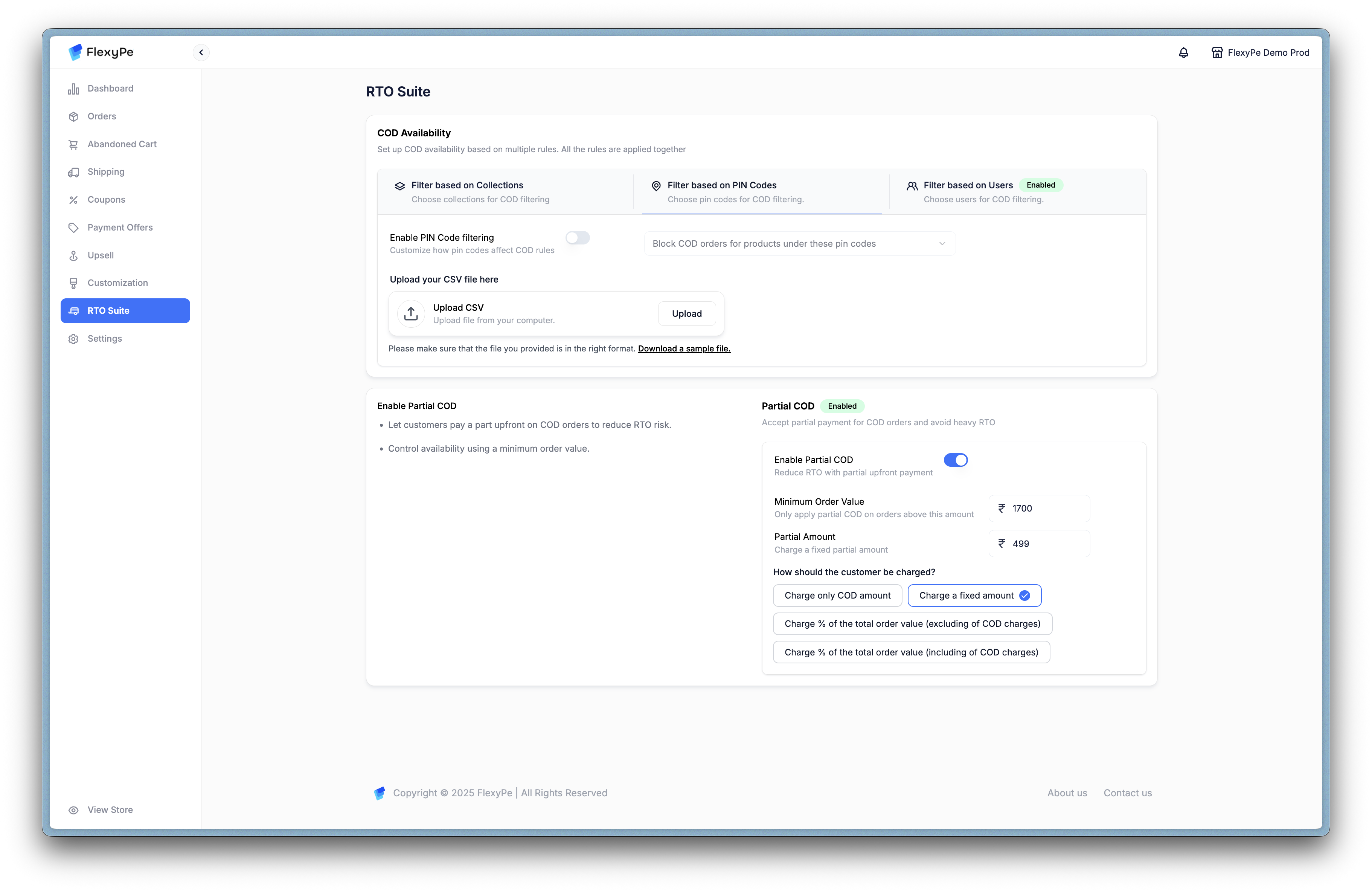
Filter by PIN Codes
- Restrict COD for specific regions.
- Upload a CSV of allowed/restricted PIN codes.
- Helps reduce risk from unreliable logistics areas.
- Filter by Users
- Limit COD availability for certain users.
- Useful for blocking repeat abusers or high-risk profiles.
- CSV upload supported for user lists.
Partial COD
Partial COD helps reduce RTO losses by requiring a part of the order to be prepaid before the COD balance is collected.- Enable Partial COD: Toggle to activate.
- Minimum Order Value: Apply Partial COD only on orders above a set amount.
- Partial Amount Percentage: Define what portion customers must prepay.
Charging Options:
- Charge only COD amount – Collect a token advance tied to COD.
- Charge a fixed amount – Flat charge regardless of order value.
- Charge % of order value (excluding COD charges) – Prepaid portion based on subtotal.
- Charge % of order value (including COD charges) – Prepaid portion including COD fee.
Why Use COD Rules?
By combining filters and Partial COD, you can:- Reduce fraudulent or fake COD orders.
- Improve cash flow with partial upfront payments.
- Lower logistics costs by avoiding high-risk deliveries.
- Retain COD convenience while balancing risk.
For a full demonstration, see the walkthrough video linked above.