> ## Documentation Index
> Fetch the complete documentation index at: https://docs.flexype.io/llms.txt
> Use this file to discover all available pages before exploring further.
# Google Ads
Integrating Google Ads with FlexyPe is simple and effective. Just follow a few steps to track key conversion events on your website, such as purchases. With conversion tags added to your FlexyPe checkout, you can easily measure performance and optimize your ads, keywords, ad groups, and campaigns based on real data.
## Getting the Conversion ID and Label
 * Log in to [Google Ads](https://ads.google.com/nav/login).
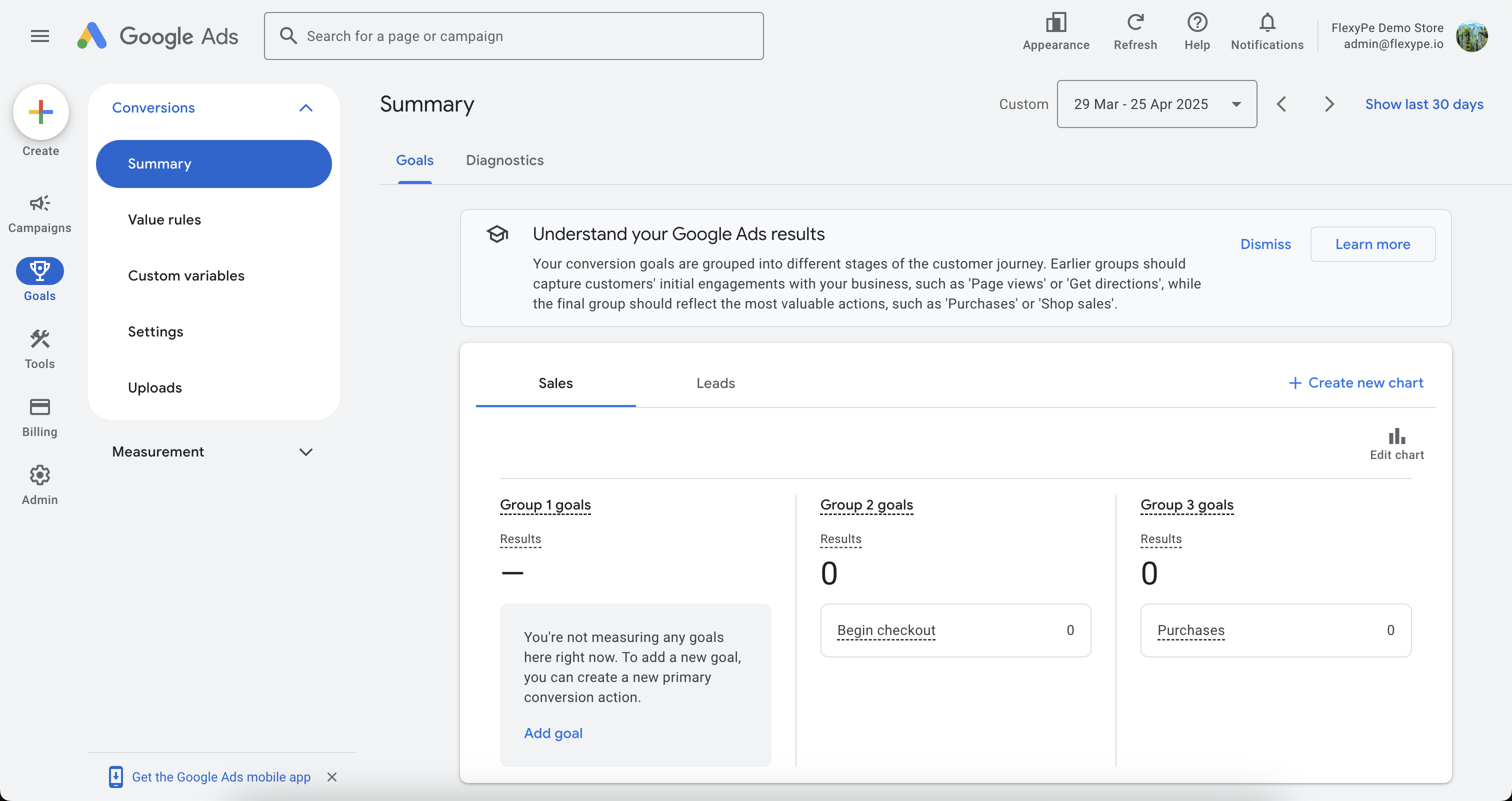
* Click on Goals on the left panel and select Events Manager.
* Navigate to Summary under Conversion.
* Log in to [Google Ads](https://ads.google.com/nav/login).
* Click on Goals on the left panel and select Events Manager.
* Navigate to Summary under Conversion.
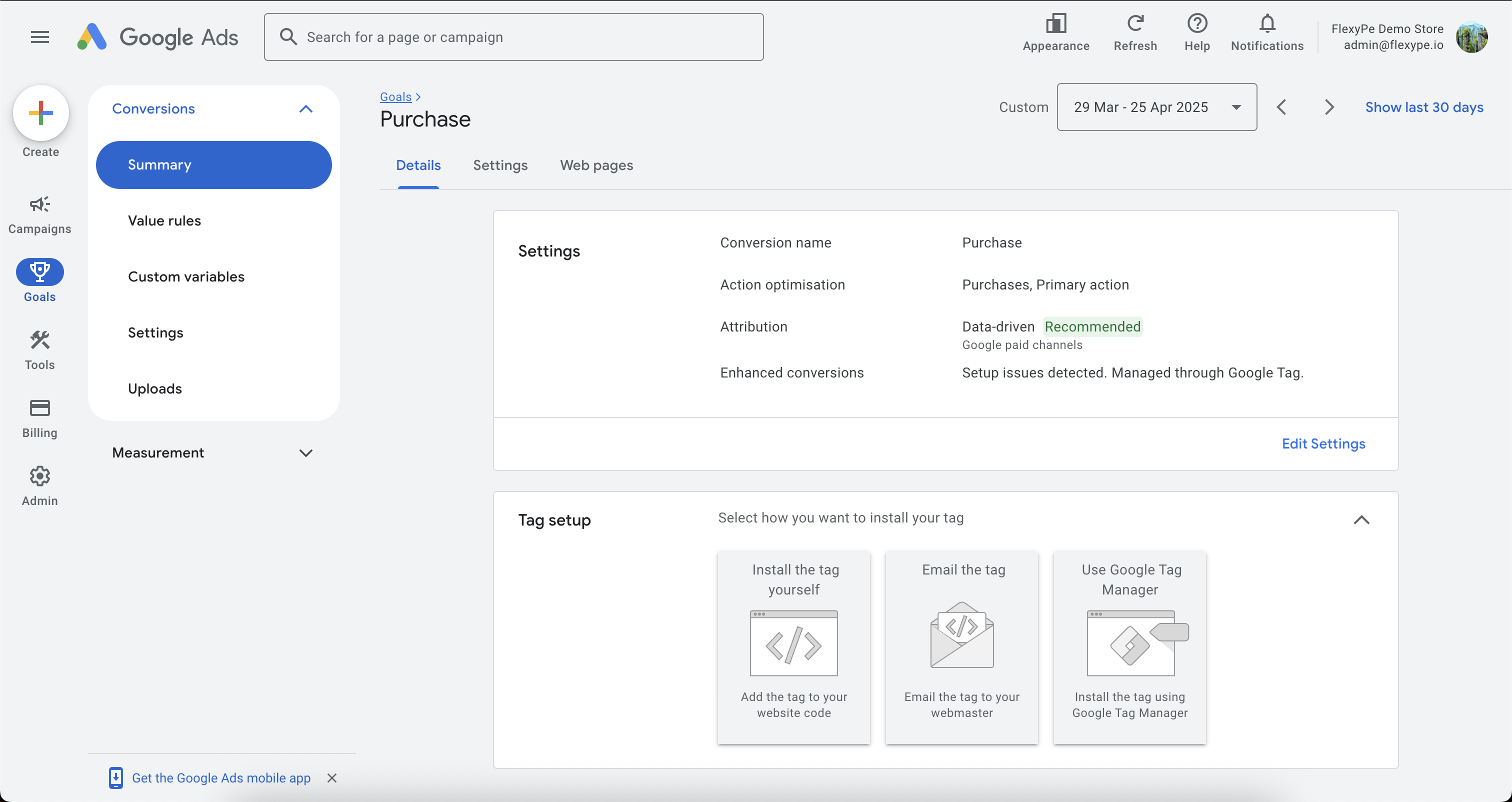 * Select your Purchase conversion event.
* On the Details tab scroll down to Tag Setup.
* Select your Purchase conversion event.
* On the Details tab scroll down to Tag Setup.
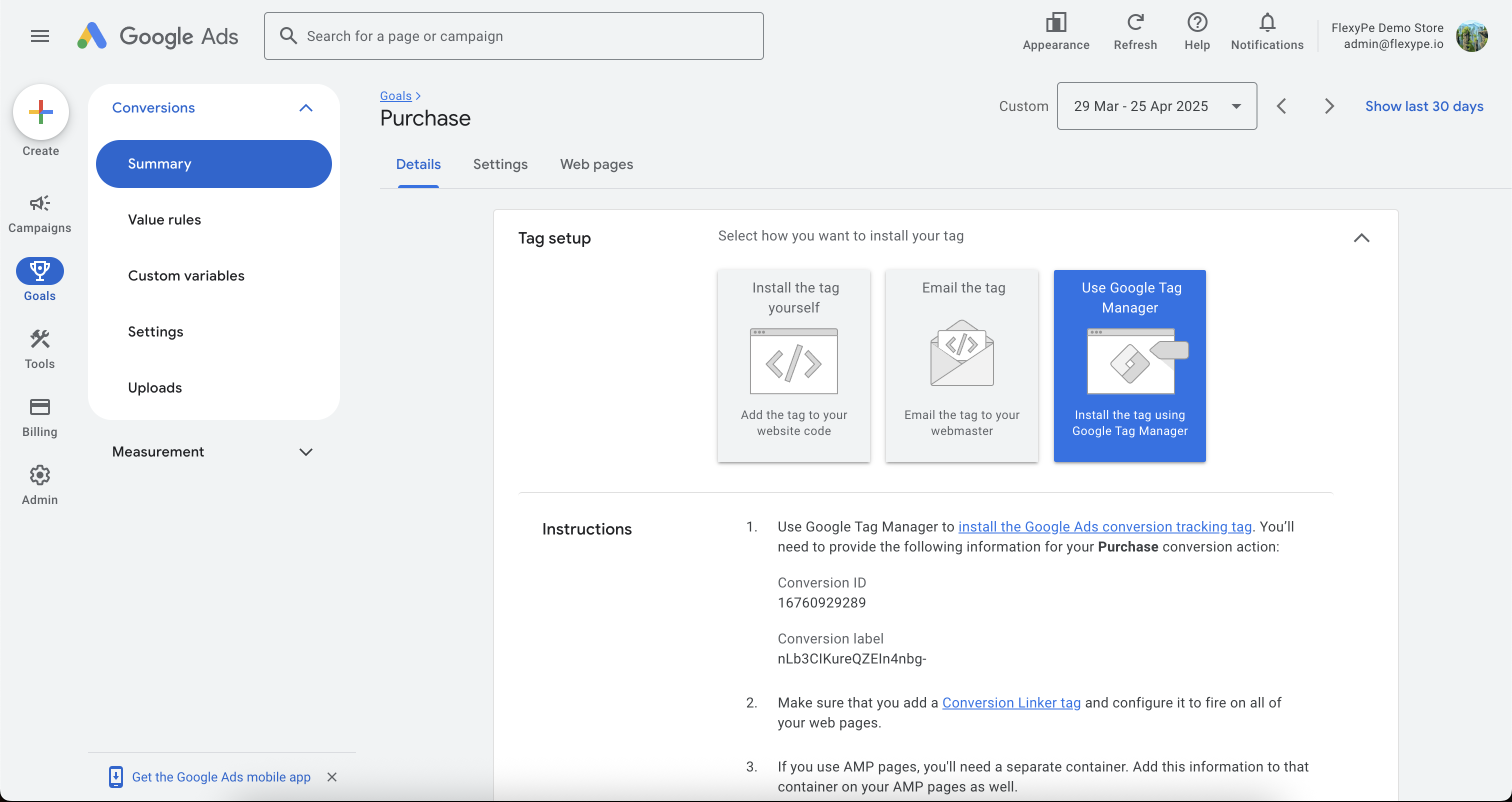 * Expand the Tag Setup dropdown and select Use Google Tag Manager.
* Copy the **Conversion ID** and **Conversion Label** and keep it handy for configuration.
## Integrate Google Ads with FlexyPe
* Expand the Tag Setup dropdown and select Use Google Tag Manager.
* Copy the **Conversion ID** and **Conversion Label** and keep it handy for configuration.
## Integrate Google Ads with FlexyPe
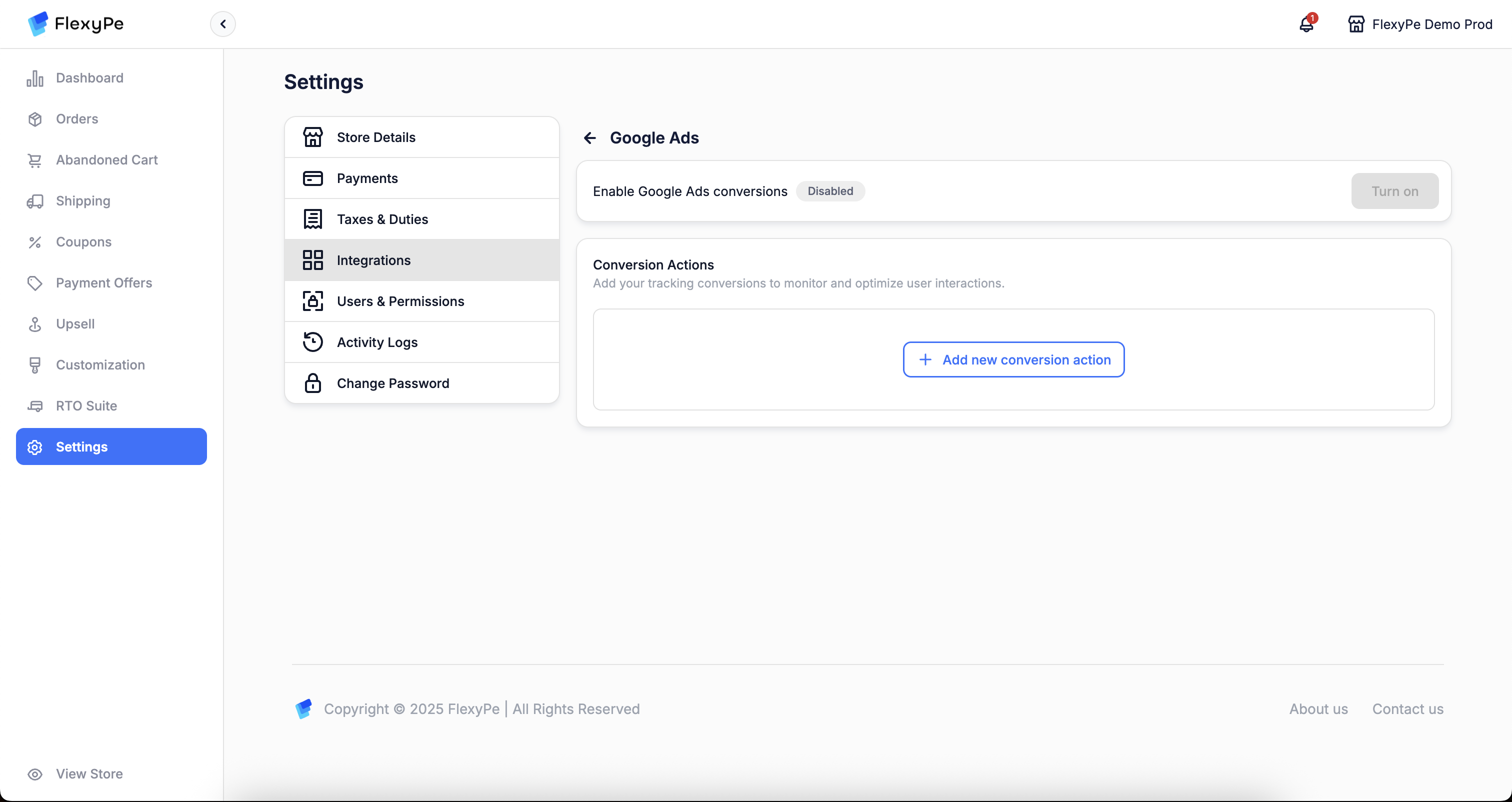 * Log in to your [FlexyPe Dashboard](https://dashboard.flexype.io).
* Click on the Settings menu and select Integrations.
* Navigate to Google Ads.
* Log in to your [FlexyPe Dashboard](https://dashboard.flexype.io).
* Click on the Settings menu and select Integrations.
* Navigate to Google Ads.
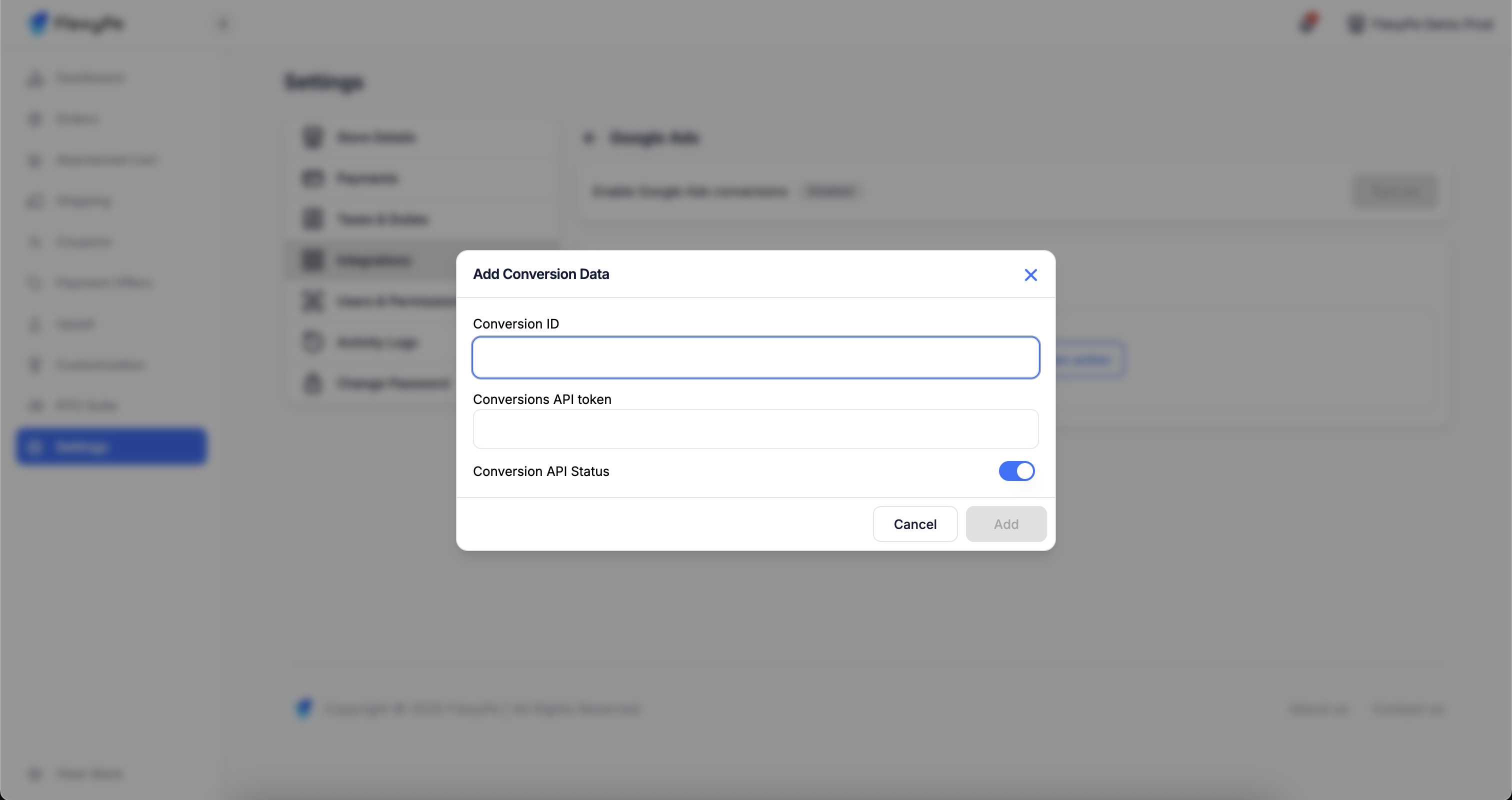 * Click on the Add new conversion action.
* Paste the copied **Conversion ID** into the designated field.
Conversion ID must include the
* Click on the Add new conversion action.
* Paste the copied **Conversion ID** into the designated field.
Conversion ID must include the AW- prefix (e.g., AW-16760929279).
* Paste the copied **Conversion Label** into the designated field and turn on the API Status.
* Click Save to finalize the conversion action.
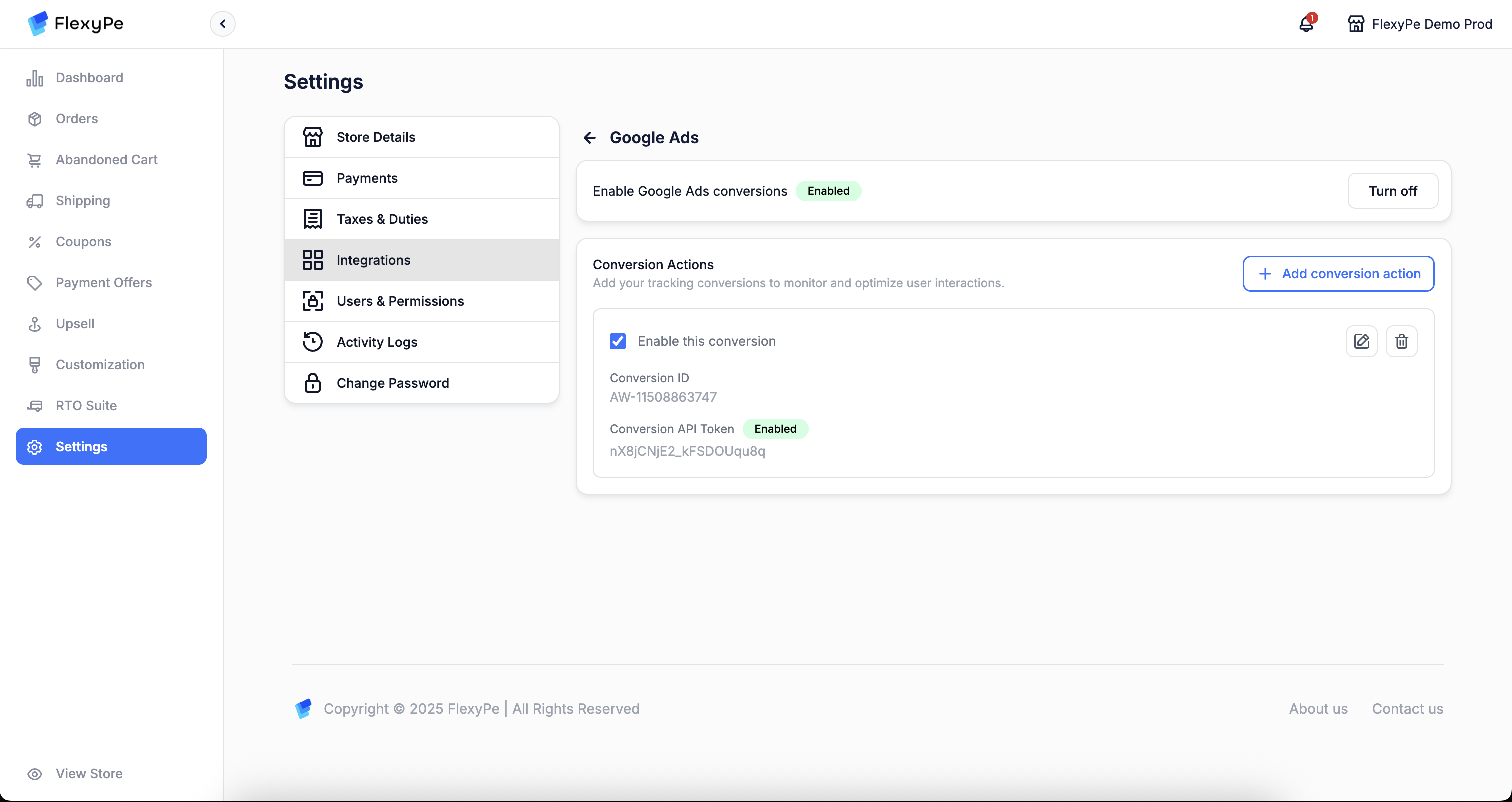 * Once you've added the conversion action, your setup is complete.
* FlexyPe is now connected to your Shopify store and ready to track conversions from Google Ads.
By following these steps, you’ll successfully integrate Google Ads with FlexyPe, enabling seamless conversion tracking and improved campaign performance.
* Once you've added the conversion action, your setup is complete.
* FlexyPe is now connected to your Shopify store and ready to track conversions from Google Ads.
By following these steps, you’ll successfully integrate Google Ads with FlexyPe, enabling seamless conversion tracking and improved campaign performance.