> ## Documentation Index
> Fetch the complete documentation index at: https://docs.flexype.io/llms.txt
> Use this file to discover all available pages before exploring further.
# RTO Suite
> Reduce Return-to-Origin losses by controlling when COD and Partial COD are offered at checkout.
The **RTO Suite** reduces **Return-to-Origin (RTO)** losses by controlling when Cash on Delivery (COD) and Partial COD (PCOD) are offered at checkout, and how much extra a COD order costs.
The suite ships in two generations:
| Version | What you see | Status |
| --------------------------------------------------- | ----------------------------------------------------------------------------------------------------------------------------- | ------- |
| **[V2 — RTO rules](/features/rto-suite/rto-v2)** | An RTO rules dashboard where each restriction is its own rule, and a switch that controls how multiple matching rules combine | Current |
| **[V1 — COD Settings](/features/rto-suite/rto-v1)** | A single COD Settings page with collection, PIN code, and user filters plus a global Partial COD block | Legacy |
## Which version is my store on?
Open **RTO Suite** in the dashboard. The page picks itself automatically:
* If you see a **Choose how your RTO rules are applied** card at the top and rules grouped into sections, you are on **V2**.
* If you see a single **COD Settings** page with collection, PIN code, and user filters, you are on **V1**.
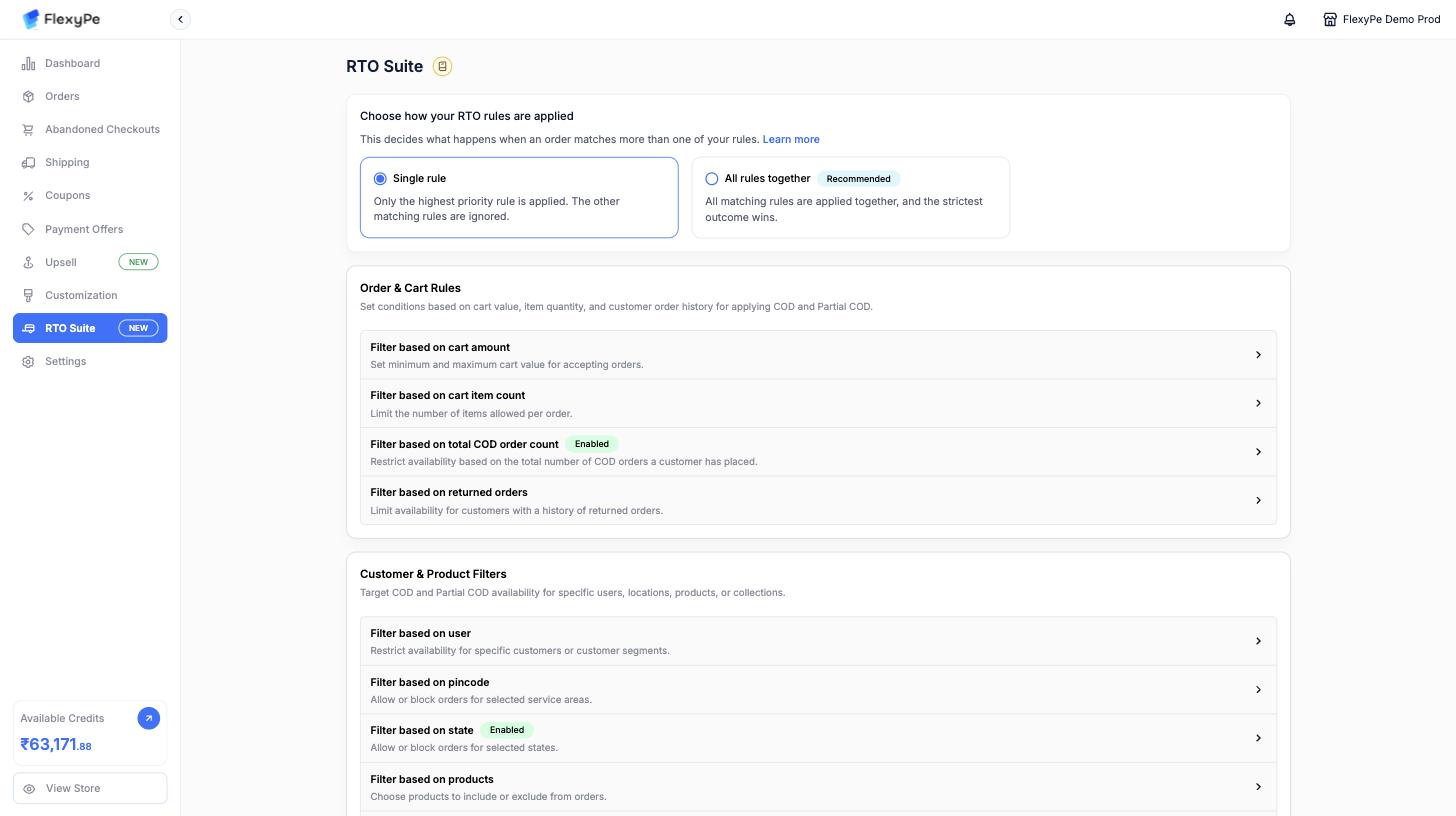 Moving from V1 to V2 is done by the FlexyPe team. Contact support if you are still on V1 and want rule-based RTO.
## Why use RTO rules?
* Reduce **fraudulent or fake COD orders**.
* Improve **cash flow** with partial upfront payments.
* Lower **logistics costs** by avoiding high-risk deliveries.
* Retain COD convenience while balancing risk.
## Next steps
Build rules, configure Partial COD per rule, and choose how multiple matching rules combine.
The legacy store-wide COD filters and Partial COD block.
Moving from V1 to V2 is done by the FlexyPe team. Contact support if you are still on V1 and want rule-based RTO.
## Why use RTO rules?
* Reduce **fraudulent or fake COD orders**.
* Improve **cash flow** with partial upfront payments.
* Lower **logistics costs** by avoiding high-risk deliveries.
* Retain COD convenience while balancing risk.
## Next steps
Build rules, configure Partial COD per rule, and choose how multiple matching rules combine.
The legacy store-wide COD filters and Partial COD block.