> ## Documentation Index
> Fetch the complete documentation index at: https://docs.flexype.io/llms.txt
> Use this file to discover all available pages before exploring further.
# Purchase Driven
> Target customers by what they bought before — past coupon use, order value, or order count.
Every other coupon type looks at what's in the cart right now. Purchase Driven looks at what the customer did **before**. It's the retention tool: win-backs, loyalty rewards, and offers aimed at people who used a specific campaign in the past.
Shared setup, eligibility, and usage limits are covered in [Coupons](/features/coupons/overview). This page covers only what's specific to this type.
## An extra step
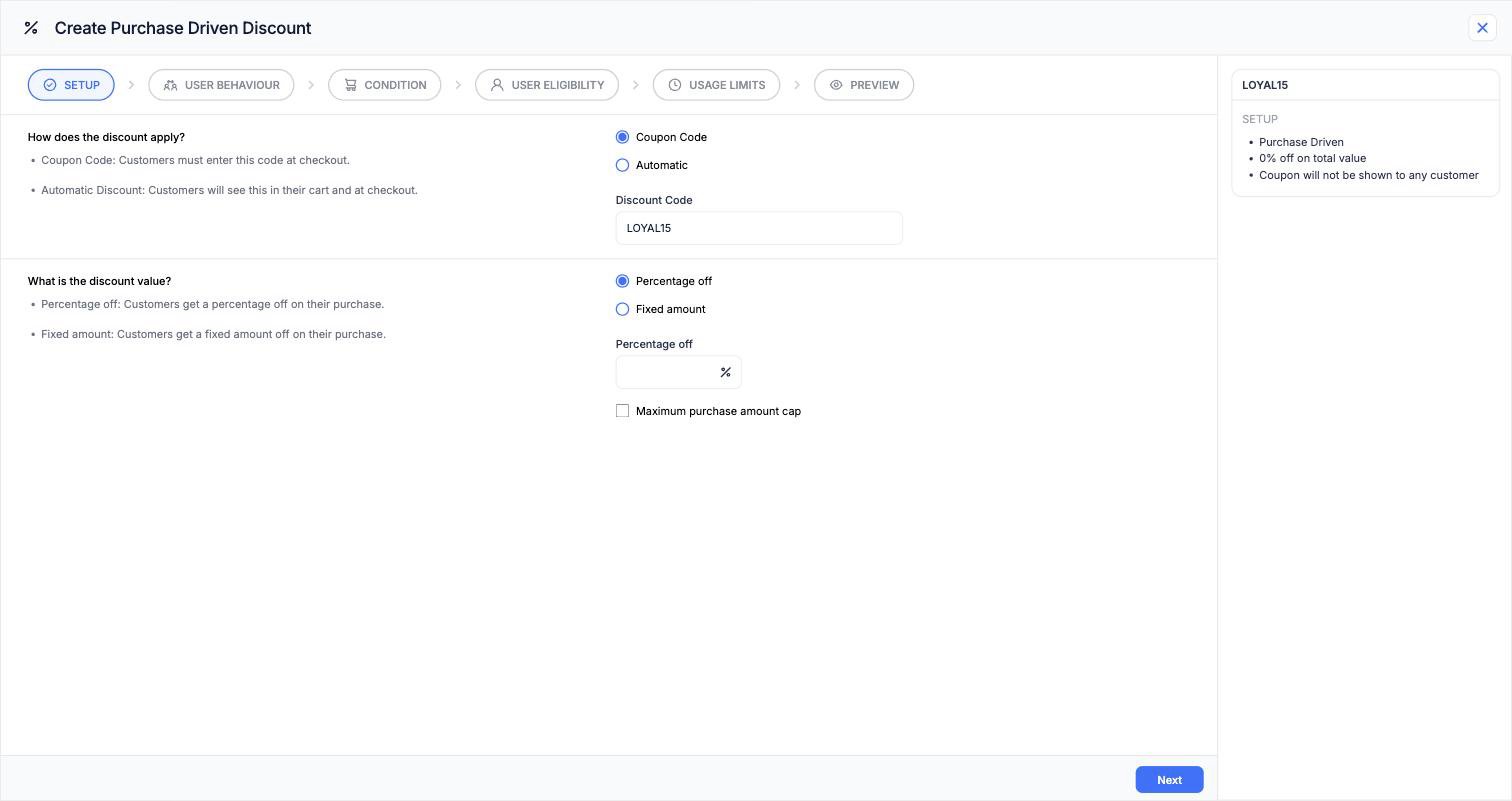
Purchase Driven is the only type with **six** steps. A **User Behaviour** step sits between Setup and Condition:
**Setup → User Behaviour → Condition → User Eligibility → Usage Limits → Preview**
 ## The User Behaviour step
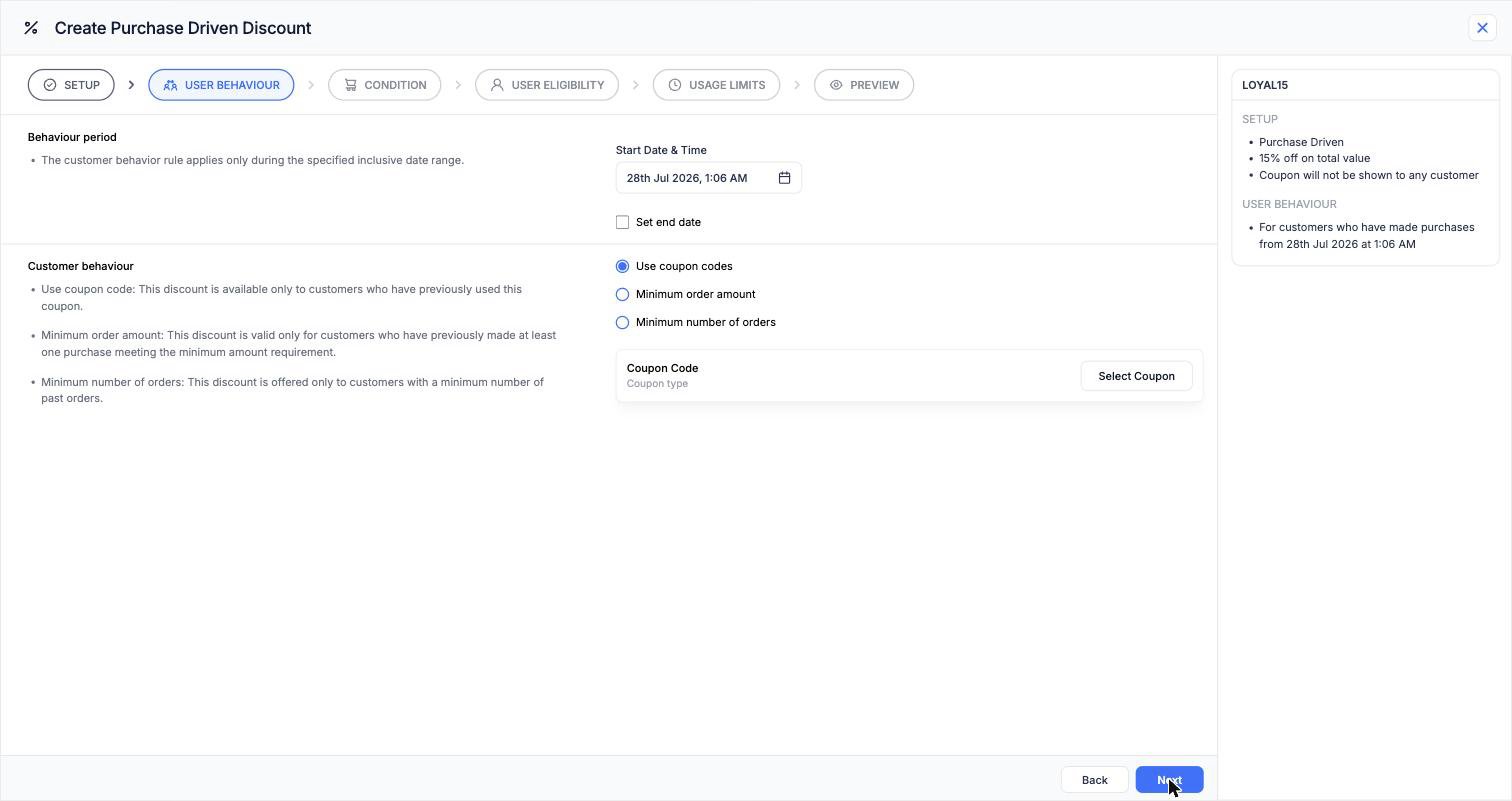 ### Customer behaviour
Pick the past action that qualifies someone:
| Option | Qualifies customers who |
| ---------------------------- | ------------------------------------------------------------------ |
| **Use coupon codes** | Previously used a specific coupon — pick it with **Select Coupon** |
| **Minimum order amount** | Previously placed at least one order meeting an amount threshold |
| **Minimum number of orders** | Have at least a set number of past orders |
### Behaviour period
A start date and an optional end date. **The past activity only counts if it happened inside this window.**
This is what makes the type precise. Without it you'd be targeting all-time behaviour; with it you can target "customers who bought during the festive sale" or "anyone who used our launch code in March".
The behaviour period describes **when the customer's past activity happened**. The active period, set later under Usage Limits, describes **when this new coupon can be used**. They're different dates and they're easy to confuse.
## How it calculates
| Behaviour rule | Behaviour period | Qualifies? |
| --------------------------- | ---------------- | ------------------------------------------------------- |
| Used coupon `FESTIVE20` | 1–31 Oct | Customer used it 12 Oct → **yes** |
| Used coupon `FESTIVE20` | 1–31 Oct | Customer used it 3 Nov → no |
| Minimum order amount ₹5,000 | Last 6 months | Customer's biggest order in window was ₹5,200 → **yes** |
| Minimum number of orders 3 | Last 12 months | Customer has 2 orders in window, 5 all-time → no |
## Examples
**Setup:** Coupon code `WELCOMEBACK` · 15% off
**User Behaviour:** Use coupon codes → `FESTIVE20` · behaviour period covering the festive window
Reaches exactly the people who bought on discount last season, and nobody else.
**Setup:** Coupon code `LOYAL15` · 15% off · cap ₹500
**User Behaviour:** Minimum number of orders 3 · behaviour period covering the last year
Recognises repeat buyers without opening the discount to first-timers.
**Setup:** Coupon code `VIP500` · fixed ₹500 off
**User Behaviour:** Minimum order amount ₹5,000
**Condition:** Minimum purchase amount ₹4,000
Targets customers who've spent big before, and asks for a substantial cart again.
**Setup:** Automatic · 10% off
**User Behaviour:** Minimum number of orders 1 · behaviour period ending several months ago
Because the window closed months back, this reaches people who bought then and haven't since.
## Frequently asked questions
Usually the **behaviour period** is too narrow, or it's set to a future or current window when you meant a past one. Check that real orders exist inside those dates.
**Total order count** is a simple lifetime count. Purchase Driven measures behaviour inside a date window and can key off order value or a specific past coupon. Use eligibility for "has ordered before", Purchase Driven for anything more targeted.
The behaviour rule selects one coupon. For several, create one Purchase Driven coupon per source campaign.
Their past orders have to be identifiable, so the discount resolves once the customer is identified at checkout.
Shared setup, limits, and combining rules
Check a customer's past order history
### Customer behaviour
Pick the past action that qualifies someone:
| Option | Qualifies customers who |
| ---------------------------- | ------------------------------------------------------------------ |
| **Use coupon codes** | Previously used a specific coupon — pick it with **Select Coupon** |
| **Minimum order amount** | Previously placed at least one order meeting an amount threshold |
| **Minimum number of orders** | Have at least a set number of past orders |
### Behaviour period
A start date and an optional end date. **The past activity only counts if it happened inside this window.**
This is what makes the type precise. Without it you'd be targeting all-time behaviour; with it you can target "customers who bought during the festive sale" or "anyone who used our launch code in March".
The behaviour period describes **when the customer's past activity happened**. The active period, set later under Usage Limits, describes **when this new coupon can be used**. They're different dates and they're easy to confuse.
## How it calculates
| Behaviour rule | Behaviour period | Qualifies? |
| --------------------------- | ---------------- | ------------------------------------------------------- |
| Used coupon `FESTIVE20` | 1–31 Oct | Customer used it 12 Oct → **yes** |
| Used coupon `FESTIVE20` | 1–31 Oct | Customer used it 3 Nov → no |
| Minimum order amount ₹5,000 | Last 6 months | Customer's biggest order in window was ₹5,200 → **yes** |
| Minimum number of orders 3 | Last 12 months | Customer has 2 orders in window, 5 all-time → no |
## Examples
**Setup:** Coupon code `WELCOMEBACK` · 15% off
**User Behaviour:** Use coupon codes → `FESTIVE20` · behaviour period covering the festive window
Reaches exactly the people who bought on discount last season, and nobody else.
**Setup:** Coupon code `LOYAL15` · 15% off · cap ₹500
**User Behaviour:** Minimum number of orders 3 · behaviour period covering the last year
Recognises repeat buyers without opening the discount to first-timers.
**Setup:** Coupon code `VIP500` · fixed ₹500 off
**User Behaviour:** Minimum order amount ₹5,000
**Condition:** Minimum purchase amount ₹4,000
Targets customers who've spent big before, and asks for a substantial cart again.
**Setup:** Automatic · 10% off
**User Behaviour:** Minimum number of orders 1 · behaviour period ending several months ago
Because the window closed months back, this reaches people who bought then and haven't since.
## Frequently asked questions
Usually the **behaviour period** is too narrow, or it's set to a future or current window when you meant a past one. Check that real orders exist inside those dates.
**Total order count** is a simple lifetime count. Purchase Driven measures behaviour inside a date window and can key off order value or a specific past coupon. Use eligibility for "has ordered before", Purchase Driven for anything more targeted.
The behaviour rule selects one coupon. For several, create one Purchase Driven coupon per source campaign.
Their past orders have to be identifiable, so the discount resolves once the customer is identified at checkout.
Shared setup, limits, and combining rules
Check a customer's past order history